For government and nonprofit teams
Timesheets your team can sign off on.
Staff log hours. Managers approve. You get a signed PDF and a clear record at the end of every week. No more chasing timesheets through email on Friday afternoon.
Our team reviews each request to keep the platform safe.
Built for teams that need a real record at the end of every pay period. See the FAQ for the long answers.
Designed to fit each role
Choose your role below to see where this fits into your workflow.
Here’s what it does.
Six things, in the order they happen. Log hours. Approve a week. Sign off. Check the funding. Close payroll. Bundle the records.
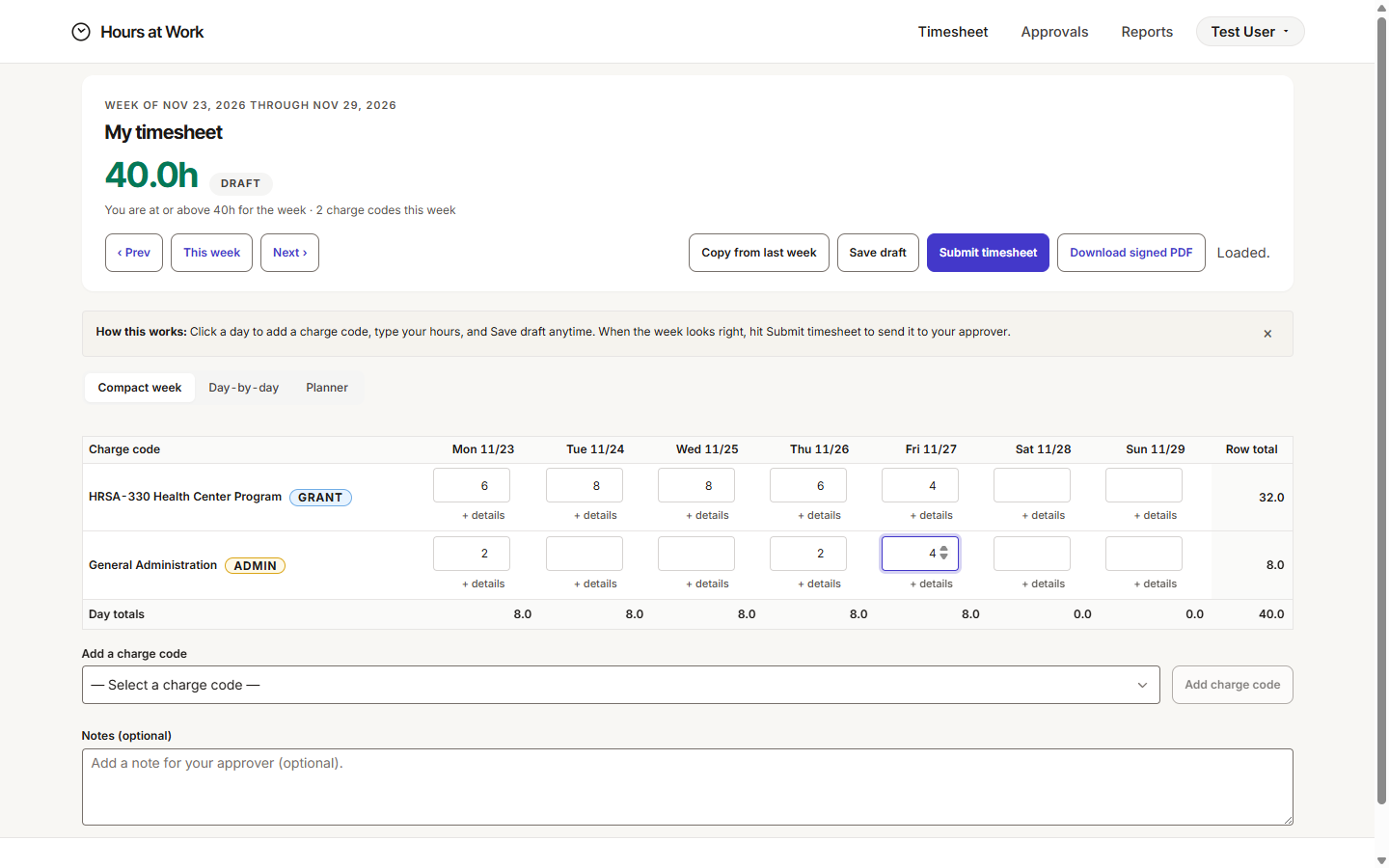
Staff log their hours in a weekly grid.
Open the grid. Pick what you worked on. Type the hours. Most people finish a week in under three minutes. If you worked on the same things as last week, one click copies them forward.
Why it matters: When entry is fast, staff actually fill out their timesheets. When entry is slow, you spend Friday chasing people.
Approvers see a queue. They sign in the browser.
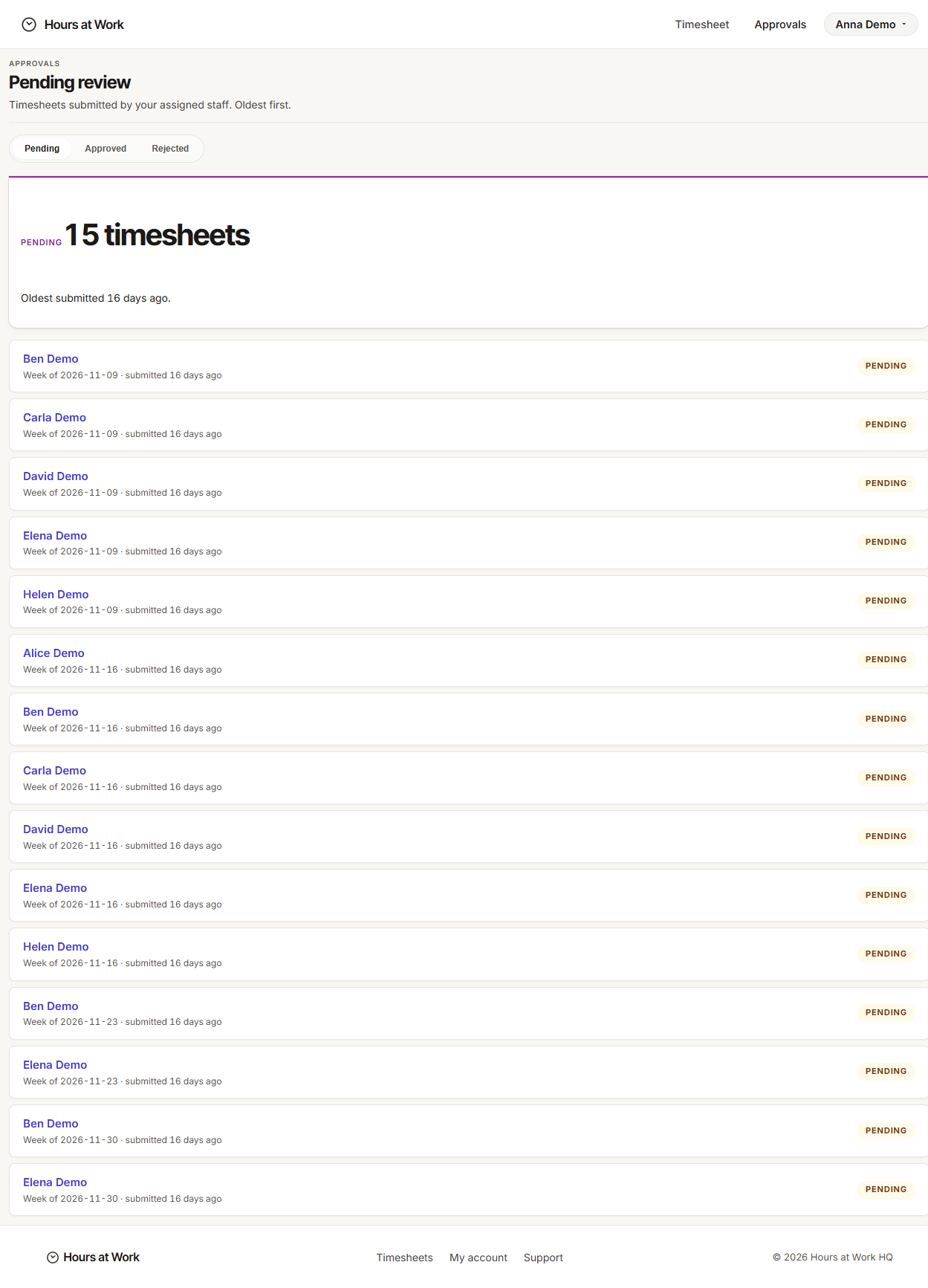
Every approver opens one page and sees the timesheets waiting on them. Late ones are flagged. Sign right there. If someone’s out, the work routes to a backup automatically.
Why it matters: No more printing, scanning, or DocuSign back-and-forth. The signature is built in.
Every approved week becomes a signed PDF.
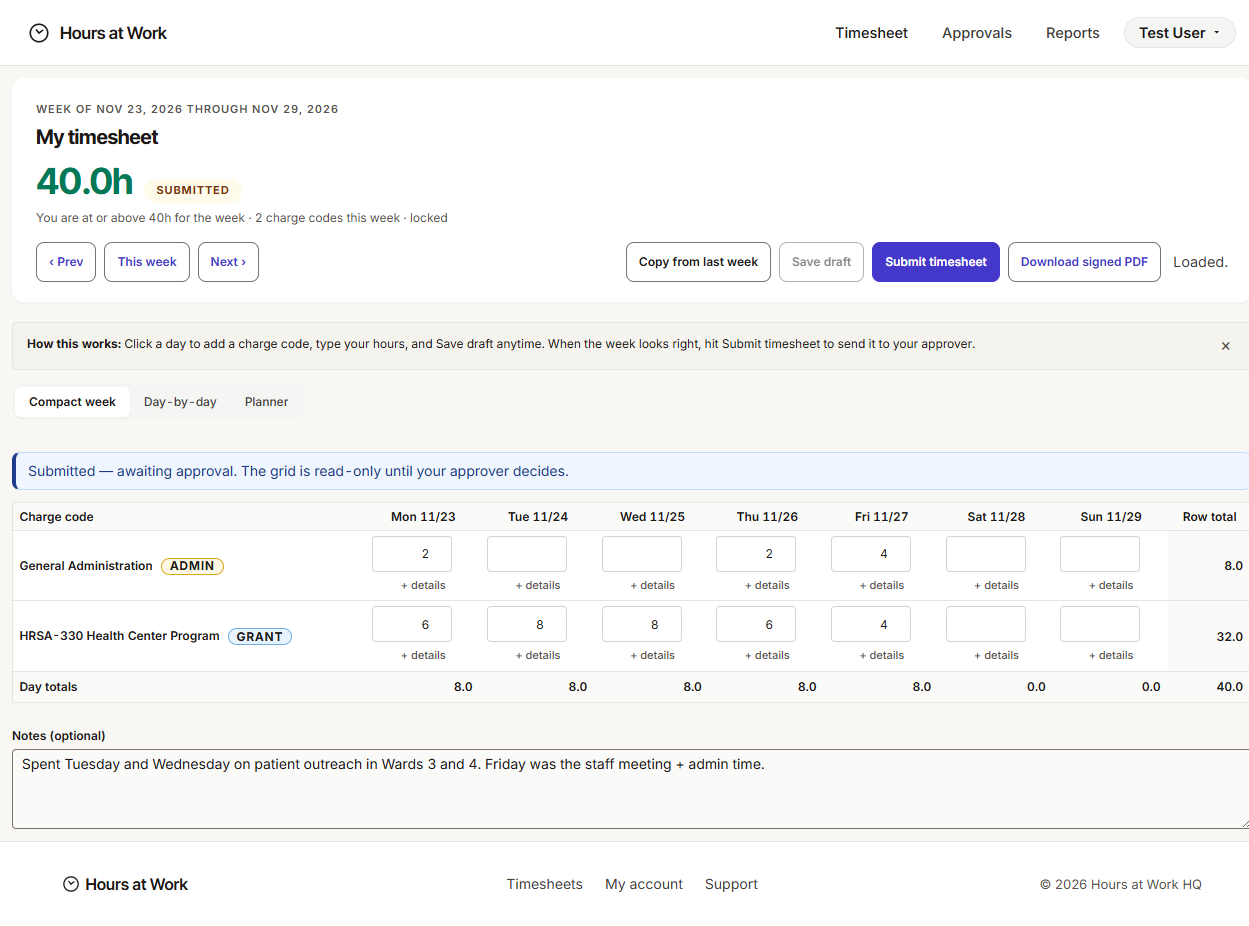
Staff signature. Approver signature. The date and time it happened. You can pull the same PDF back six months from now and it’ll match exactly. If anything changed, the record will say so.
Why it matters: When a funder or auditor asks “who worked on this and when did you sign off?”, you already have the answer in one file.
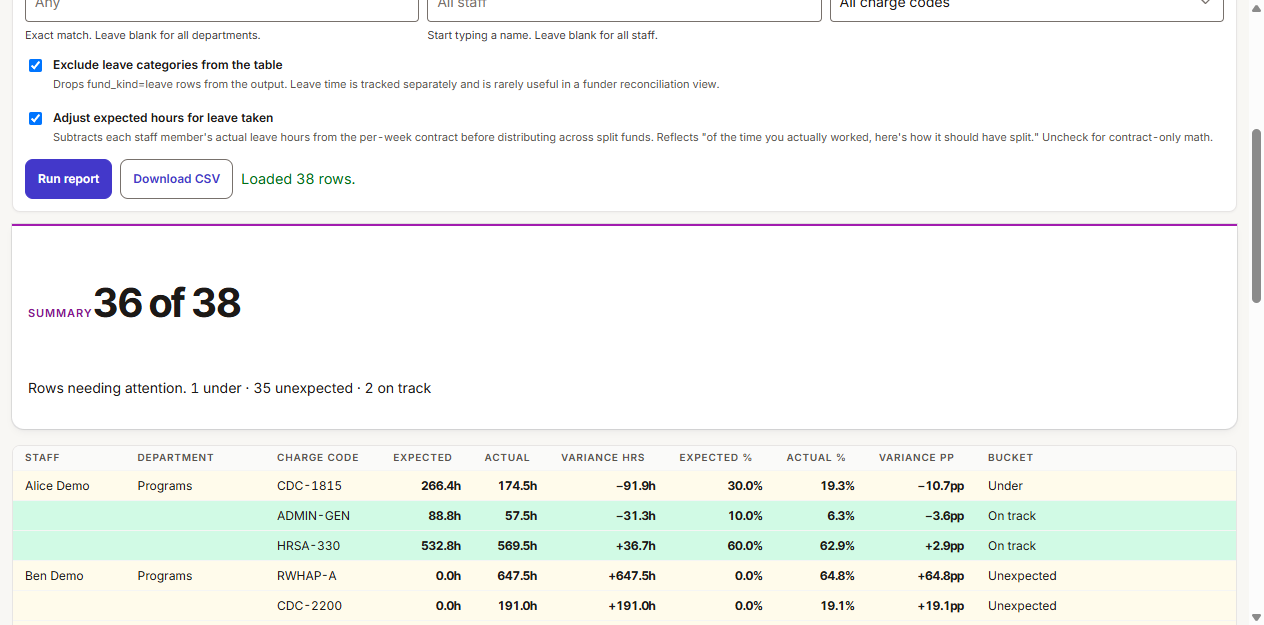
See where time was supposed to go vs. where it actually went.
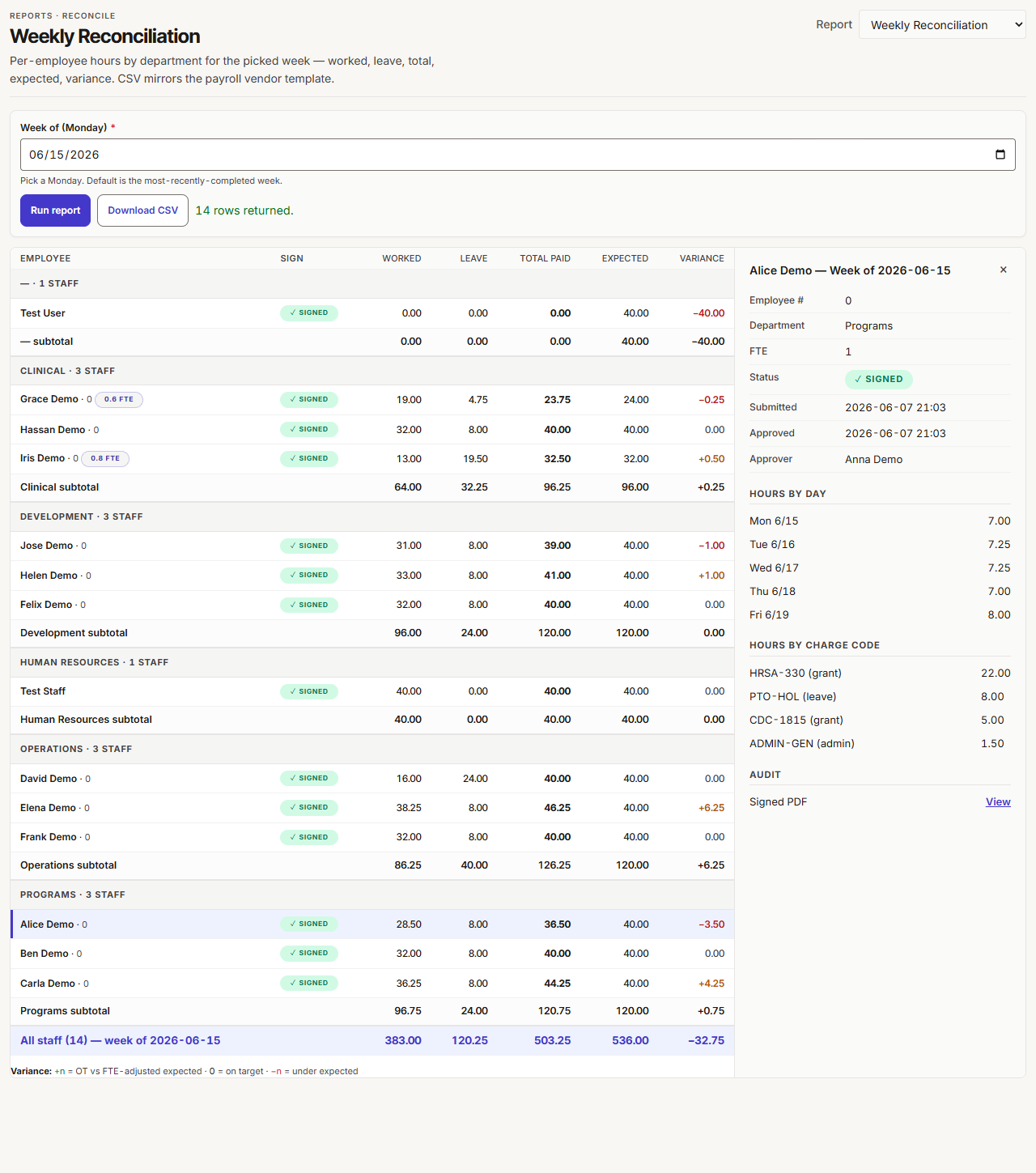
Each staff member can have a funding split — say, 60% on one grant and 40% on another. The report compares expected hours to actual hours, week by week. You see the gap before someone else asks about it.
Why it matters: Funders ask. Better that you spot the mismatch first, while there’s still time to fix it.
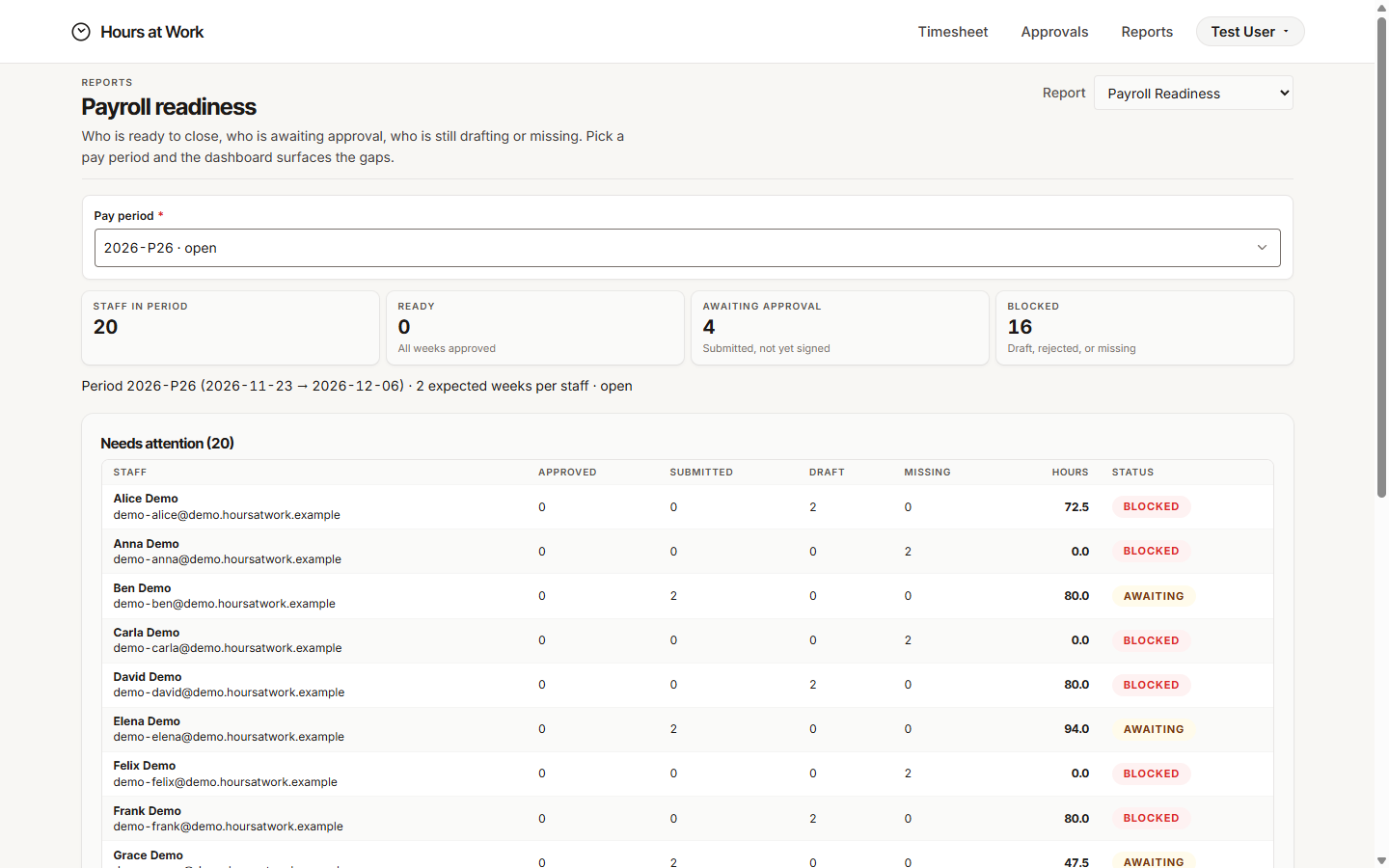
One dashboard. One CSV your payroll system reads.
Monday morning, the dashboard tells you who’s ready, who’s partway, and who’s stuck. When the week closes, one click sends a CSV to your payroll system. No copy-paste. No spreadsheet rebuild.
Why it matters: Payroll runs on a deadline. We help you hit it without the Friday-night scramble.
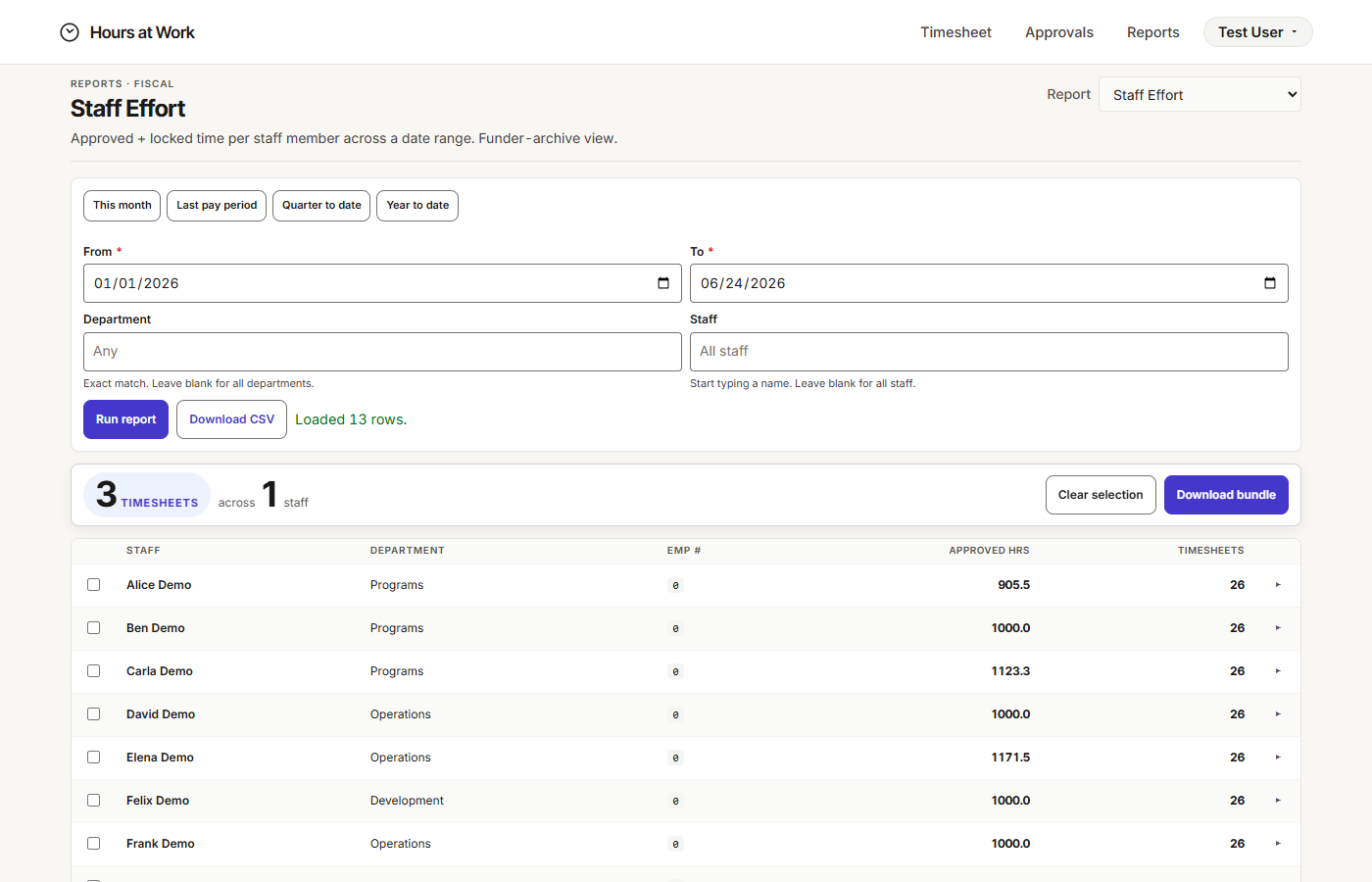
Hand a funder every signed week, in one download.
Pick the grant. Pick the date range. Click. Out comes one PDF with every signed week inside, sorted by staff member. No digging through email. No rebuilding a binder.
Why it matters: The thing that used to take a week of someone’s time now takes a few clicks.
Read the full guide for your role.
One guide per seat on the team. Each one reads in about ten minutes — or download the PDF for the meeting.
Built to hold up when someone checks.
We take accessibility, security, and audit records seriously. Your data sits in its own workspace, isolated from every other customer. Every signed PDF is permanent. Email us and we’ll send documentation your procurement, IT, or auditors need.
Pricing that fits your team.
Pricing scales with your team. Send us a note and we’ll send you a quote in two business days.