Hours at Work › Who’s reading this? › For Finance Directors
You’re the one who signs off. We make sure every hour has the paperwork to back it up.
Auditors and funders ask for the same things over and over: who worked, on what, when did the manager sign off, where is the record. We keep all of that in one place. When someone asks for it, you send a single PDF.
You get a signed, verifiable record for every week of work, and you can bundle every record for any grant or date range into one PDF, on demand.
Our team reviews each request to keep the platform safe.
The three calls that used to ruin your week.
Each one used to mean a week of spreadsheet rebuilding. Now each one is a few clicks.
-
1. “The funder is asking for records.”
A funder or auditor wants every signed timesheet for a grant, across a year. Old way: dig through email. New way: pick the grant, pick the dates, click bundle. You hand them one PDF and move on.
-
2. “The grant numbers don’t line up.”
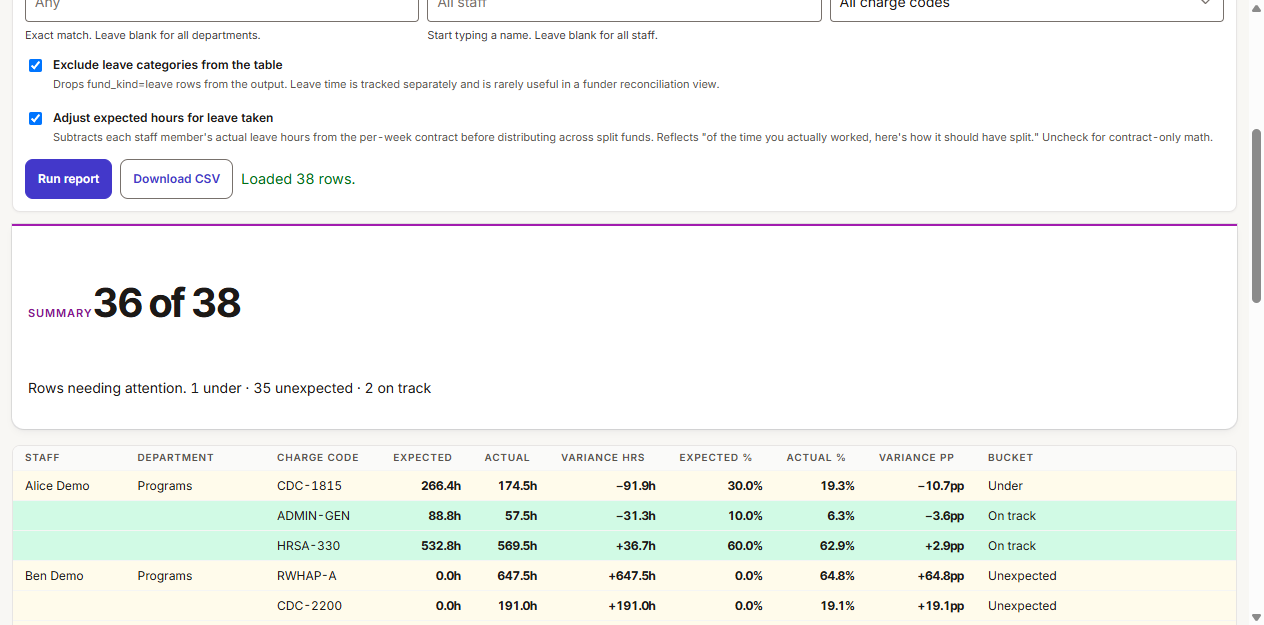
Someone notices the time charged to a grant doesn’t match what was budgeted. Old way: rebuild the spreadsheet from scratch. New way: open the funding report. It shows expected vs. actual, with the difference, by staff member, by week.
-
3. “Who signed off on this?”
Someone wants to know who approved a timesheet, and when. Old way: hunt through email. New way: open the signed PDF. Both signatures, the date, the time, and a verification code are right there.
What you send when someone asks.
The bundle PDF, and the funding report. Both built so a stranger can verify what they’re looking at.
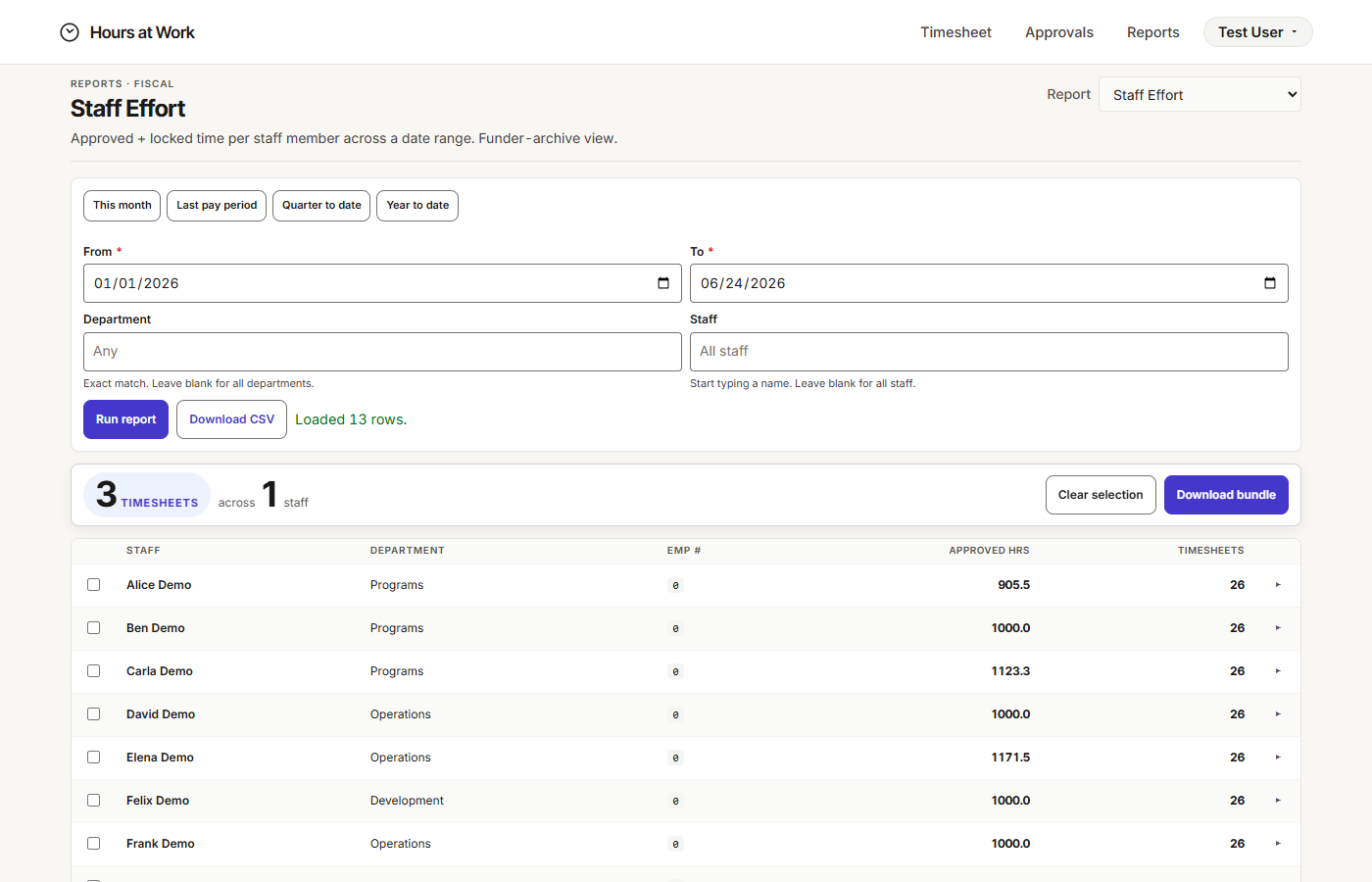
Every signed week for a grant, in one PDF.
Pick the grant. Pick the date range. Click. You get one PDF with every signed weekly approval inside, indexed by staff member and pay period. The receiver can verify it without picking up the phone.
Expected hours vs. actual hours, side by side.
Each staff member can have a funding split — say, 60% on one grant, 40% on another. The report compares expected hours to actual hours, week by week. You see the gap before the funder does.
Built to hold up when someone checks.
We take accessibility, security, and audit records seriously. Your data sits in its own workspace. Every signed PDF is permanent and verifiable. Procurement, IT, and audit detail lives on the FAQ — or we can walk you through it on a call.
$8 per person, per month
One price. No surprises.
$8 per person, per month. No tiers. No extras for grants or audit features. Procurement details live on the FAQ.